
DocsGetting startedFonts
Fonts
Google Fonts work on their own. For any other font, upload the files you have a licence for or connect Adobe Fonts, and transjt packs the fonts into your theme.
How fonts work in transjt
transjt uses the fonts of your design or code everywhere: in the editor, in the preview and in the exported theme. Where a font comes from decides what you do:
- Google Fonts are supported automatically. No action needed.
- Your own fonts: upload the font files once, under Settings › Fonts or right in your project, and every project can use them.
- Adobe Fonts: connect your Adobe Fonts web project with its ID.
The fonts are packed into the build automatically, so your HubSpot or WordPress theme brings them along.
Missing fonts in a project
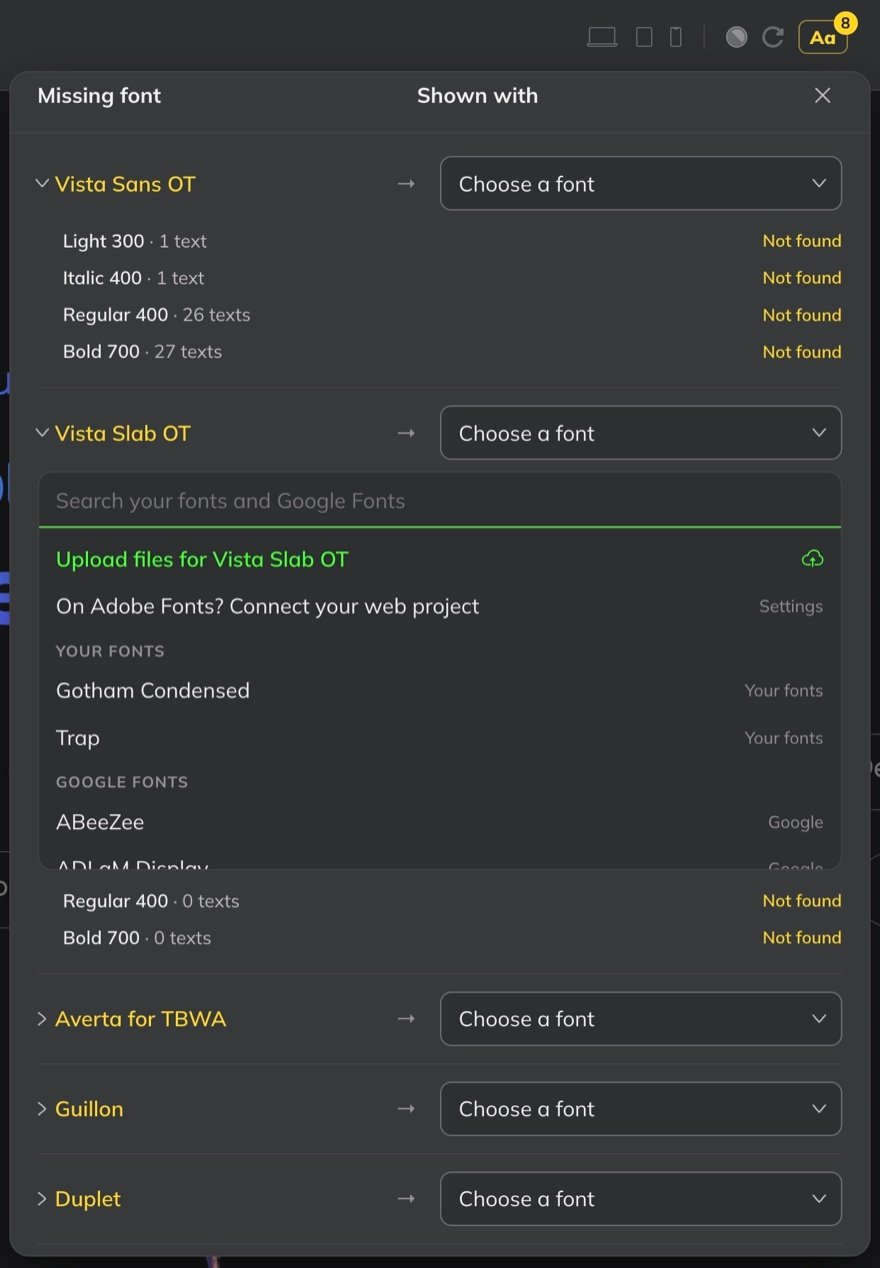
When a project uses a font transjt can’t find, the Aa button at the top right of the project shows a badge with the number of missing fonts. Click it to open Missing font.

Every missing font is listed with its styles, such as Light 300 or Bold 700, how many texts use each style, and Not found until you resolve it. Under Shown with, choose for each font:
- Upload files for that font, if you have them and a licence for them.
- One of Your fonts or a Google Font to show instead. The search covers both.
- Your Adobe Fonts: On Adobe Fonts? Connect your web project takes you to Settings.
Your fonts in Settings
Under Settings › Fonts you manage the fonts for all your projects in one place:
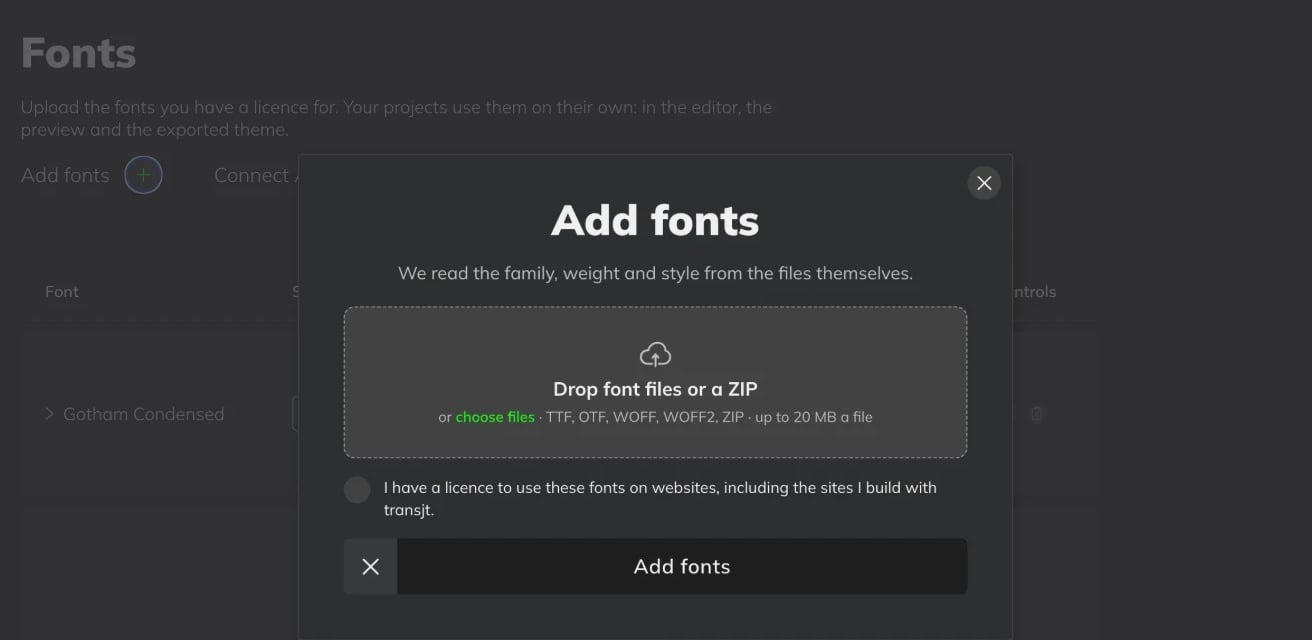
- Add fonts. Drop font files or a ZIP, or choose files: TTF, OTF, WOFF, WOFF2 or ZIP, up to 20 MB a file. transjt reads the family, weight and style from the files themselves.
- Connect Adobe Fonts. Add the ID of your Adobe Fonts web project.
- Needed in your projects. Every font your projects are missing is listed here too, so you can upload it.
Each font shows its styles, the projects that use it and its files.
Font licences
A desktop licence often doesn’t include web use, so check yours before you upload. Google Fonts are free to use on websites.