
















We’d seen plenty of tools promise magic for page and theme creation, but they always under-delivered. Transjt proved to be the exception. Their platform made the transition from a complex Figma file to a HubSpot theme fast and accurate, while their team provided timely and outstanding support whenever we needed assistance. Without them, it would have taken longer and cost us significantly more to handle in-house. They turned a complex project into a smooth success.
Compare transjt.ai
with other Figma-to-CMS tools
Most Figma-to-WordPress tools place your design inside a page builder such as Elementor. transjt creates a native theme instead, for WordPress or HubSpot, and also works from AI-builder code. Pick a comparison below.
Comparisons
Pick a comparison
How each tool gets a Figma design into your CMS, side by side with transjt.
-
transjt.ai vs. Yotako
Yotako converts Figma designs into WordPress themes and offers hosting. transjt adds HubSpot, code from AI builders, and themes you host yourself.
Read the comparison -
transjt.ai vs. FigWP
FigWP moves Figma layouts into Elementor and Essential Addons widgets. transjt builds native WordPress and HubSpot themes without a page builder.
Read the comparison -
transjt.ai vs. UiChemy
UiChemy turns Figma frames into Elementor, Bricks or Gutenberg pages. transjt creates a complete native theme, for WordPress or HubSpot.
Read the comparison -
transjt.ai vs. Figmentor
Figmentor imports Figma designs into Elementor as templates. transjt generates a native theme that needs no page builder.
Read the comparison
At a glance
In short: FigWP, UiChemy and Figmentor bring your design into a page builder. Yotako and transjt create a theme. Only transjt also exports to HubSpot and accepts code from AI builders.
| Tool | Starts from | Output | Where you edit | HubSpot |
|---|---|---|---|---|
| transjt.ai | Figma plugin, or code from AI builders via GitHub | Native WordPress or HubSpot theme | WordPress block editor or HubSpot drag-and-drop editor | Yes |
| Yotako | Figma plugin | WordPress theme, with optional hosting | WordPress dashboard | No |
| FigWP | Figma plugin | Elementor and Essential Addons widgets (JSON import) | Elementor | No |
| UiChemy | Figma plugin | Elementor, Bricks or Gutenberg pages | The chosen page builder | No |
| Figmentor | Figma plugin | Elementor templates (JSON import) | Elementor | No |
Details from each vendor's website, checked in September 2026.
What our clients say
Very precise design export, and really useful because components don’t get exported as images.
Transjt is an amazing tool that saved me tons of time. Support is amazing with great response time and helped me with a lot of things, gave useful tips. Try this out, you won’t regret it. I will keep using it to create landing pages for my SaaS clients.
Great extension, simple to use.
Easy onboarding and has a great UI. Importing is fast, and the AI enhancements are decent. Good price. Easy to integrate as well.
This tool is amazing! It saved me hours of manual coding by converting my Figma designs into clean, responsive layouts. The AI does an incredible job of detecting elements, and the transfer process is smooth and very fast. Highly recommended for anyone looking to speed up their workflow!
I opened a support ticket with transjt.io and could not believe how amazing their support was. They were responsive, helpful, and could not have been nicer. They even went above and beyond and helped me with something in HubSpot on our site.
I could not be happier with transjt.io and highly recommend them.
I love the Figma connector, it makes creating themes so much easier - very excited to continue to use this tool as we ramp up our marketing strategy.
Great tool to export fast design to WordPress.
We’re using it to automate all the drag and drop modules. It’s working very well and we’ve been able to create modules with a high degree of customization. It’s greatly increasing the team’s productivity!
Great tool, that really helped us getting from Figma to HubSpot. See the result here: www.vendortell.com
Solid plugin, enjoying the experience so far.
Turning the Figma design of our new website into a HubSpot webpage was extremely smooth and fast. Saved many hours - if not days - of coding time. Easy and rapid iterations.
Excellent tool that significantly boosted our productivity. The Figma to HubSpot conversion is fast and accurate. It saves hours of manual development when creating HubSpot modules and keeps excellent visual fidelity to the original design.
Very useful and easy to use.
The plugin works really well and is a great solution if you use Figma and want to convert your designs into HubSpot. Once you understand how the system works, transjt becomes a very efficient tool that significantly improves both workflow speed and quality scalability. The support team is responsive and helpful.
Great tool... really made my work easy.
The Gap Between Design and
Development is Over
transjt.ai uses advanced AI to bridge that gap and create production-ready websites.
Native Figma Integration
Build Complete Sites, Blogs and Forms
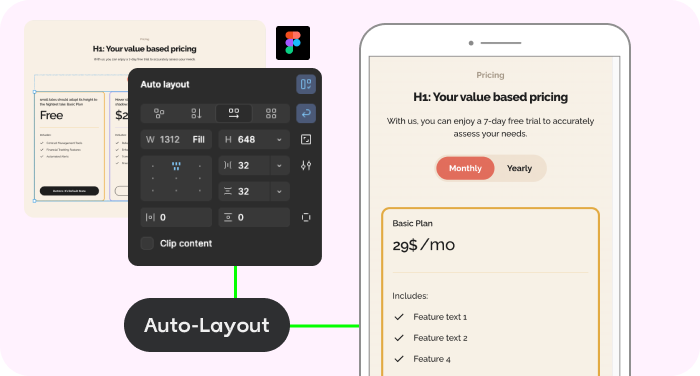
AI Auto-Responsive Layouts
Custom Themes
Works with other Tools
Do the math:
How many single components do you have?
No Credit Card Required.
How it works
From your design to a native theme, within a few hours
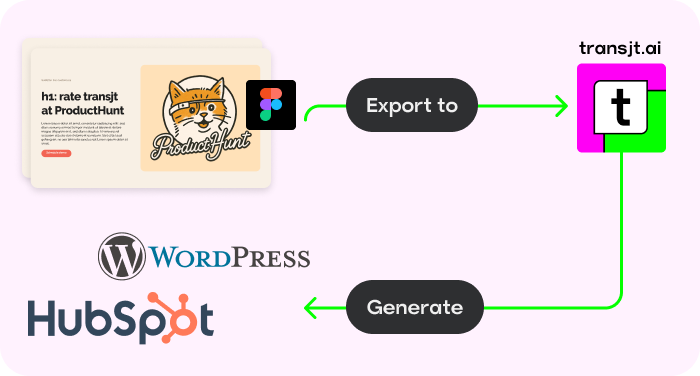
Start from the Figma file you already have, or from code built with an AI tool. transjt turns it into a HubSpot or WordPress theme your team edits in the CMS.
-
Figma to WordPress
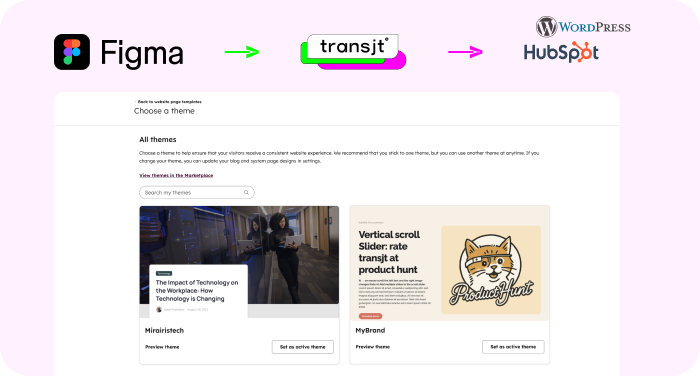
Keep your Figma file and export it as a native WordPress theme. No page builder, and you own the files.
Figma to WordPress -
Figma to HubSpot
The same design as a native HubSpot theme, with HubL modules your marketing team edits.
Figma to HubSpot -
Vibe Code to WordPress
Connect the GitHub repo of a Lovable, v0 or Claude Code site and get a native WordPress theme.
Vibe Code to WordPress -
Vibe Code to HubSpot
Turn the same AI-built frontend into a HubSpot theme with editable modules.
Vibe Code to HubSpot
FAQs
It depends on how you want to edit the site. If your team works in Elementor or Bricks, a converter such as FigWP, UiChemy or Figmentor fits that workflow. If you want a native theme without a page builder, or you also need HubSpot, transjt is built for that.
Of the tools compared here, only transjt exports to HubSpot, as a native theme with modules marketers edit in the drag-and-drop editor. Yotako, FigWP, UiChemy and Figmentor target WordPress (as of September 2026).
No. transjt creates a native WordPress theme that you edit in the block editor, so no page builder is required.
Yes. Connect the site's GitHub repository, from tools such as Lovable, v0 or Claude Code, and transjt turns it into a native HubSpot or WordPress theme.
Each comparison is based on the other tool's public website. The details in the table above were checked in September 2026.
Ready to turn your design into a native theme?
Join designers, developers, agencies and enterprises who have reclaimed their time with transjt.