Lovable to HubSpot — App to Editable Modules.
Built it in Lovable? transjt handles the Lovable to HubSpot conversion automatically. Your React app becomes native HubL modules, so marketers can rebuild pages in the drag-and-drop editor without opening the code.
Payment after Preview
Trusted by agencies, freelancers and marketing teams


















When to convert Lovable to HubSpot
Six situations where teams reach for transjt rather than rebuilding a Lovable app as HubL by hand.
Marketing already lives in HubSpot
Your CRM, email and forms already run in HubSpot, so it makes sense for the site to run there as well. transjt converts your Lovable build into a native theme. The site then moves off separate infrastructure and sits next to the tools your team already works in.
Landing pages need to ship without you
A React app means every new campaign page is a developer task. Once the design is converted to modules, your team assembles pages from the components you already designed, without filing a ticket or waiting for a deploy.
You want personalisation against CRM data
HubSpot can vary content by lifecycle stage, list membership or any contact property. That only works when the page is a native theme, and a native theme is what transjt produces from your Lovable repository.
Nobody on the team writes HubL
HubSpot's templating language is specific to HubSpot, and learning it for one project is a poor trade. transjt writes that layer for you, so nobody on your team has to learn HubL to convert the site.
Agency quotes came back higher than expected
Certified partners often charge more for custom theme work than the whole design cost to produce in Lovable. If you convert automatically, that money stays available for the campaigns the site is there to run.
You need the analytics attached to the pages
Attribution, page-level reporting and A/B testing come free once pages are native HubSpot content. An externally hosted React app gives you none of it without extra instrumentation.
How many components did you build in Lovable?
Get your build live with transjt
- Save money
- $8,100*
- Save time
- 81 hours*10.1 workdays by hand
- Get your results fast
- 1.5–3 hours*for the whole theme
*An approximate estimate based on manual React-to-HubSpot migration time: about 4.5 hours per component at $100 an hour, in 8-hour workdays. transjt builds the theme from your repository in about 1.5–3 hours.
Convert Lovable to HubSpot in four steps.
From your Lovable project to a native HubSpot theme, by way of GitHub.

- 01

Build your site in Lovable
Prompt and refine until the design is right. Start from a website prompt built for conversion. Lovable already outputs React with Vite, which is what transjt converts. Unlike with some AI builders, there is no stack constraint to work around first.

- 02

Sync Lovable to GitHub
Use Lovable's built-in GitHub integration to push the project to a repository. transjt reads from there, and the history gives you a record of which design produced which version of the theme.
- 03

Connect the repo to transjt
Authorize GitHub in your transjt project and pick the repository. transjt reads the component structure and decides which parts become templates and which become module fields your marketers can edit.

- 04

Export to HubSpot
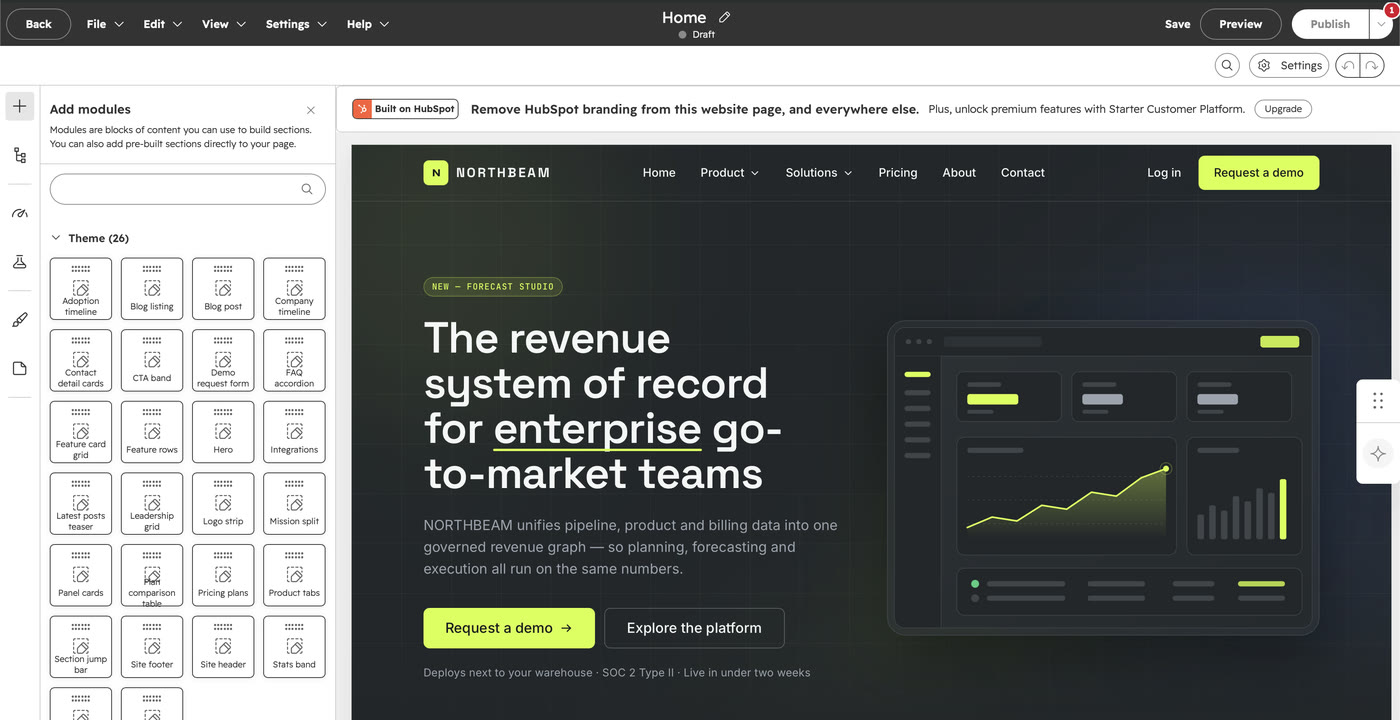
Choose HubSpot and review the preview. Confirm, and transjt writes a native theme you upload through the design manager. Its HubL templates and modules appear in the page editor immediately.
You can also connect other coding tools.
All AI builders on one page: AI to HubSpot.

What our clients say.

“We’d seen plenty of tools promise magic for page and theme creation, but they always under-delivered. Transjt proved to be the exception.”
KevinThinkFuelWe’d seen plenty of tools promise magic for page and theme creation, but they always under-delivered. Transjt proved to be the exception.
Transjt made importing designs from third parties effortless. … Their support made a complex process simple and stress-free.
What would have traditionally required weeks of custom development was completed in just a few days with minimal adjustment.
Great tool that can take your designs into Hubspot in matter of minutes! Love it!
This tool is amazing! It saved me hours of manual coding by converting my Figma designs into clean, responsive layouts.
Turning the Figma design of our new website into a HubSpot webpage was extremely smooth and fast. Saved many hours - if not days - of coding time. Easy and rapid iterations.
The Figma to HubSpot conversion is fast and accurate. It saves hours of manual development when creating HubSpot modules and keeps excellent visual fidelity to the original design.
We’re using it to automate all the drag and drop modules. It’s working very well and we’ve been able to create modules with a high degree of customization.
Easy onboarding and has a great UI. Importing is fast, and the AI enhancements are decent. Good price. Easy to integrate as well.
Very precise design export, and really useful because components don’t get exported as images.
Great tool to export fast design to WordPress.
Once you understand how the system works, transjt becomes a very efficient tool that significantly improves both workflow speed and quality scalability. The support team is responsive and helpful.
- 95–99%of the finished code, on a well-structured file
- ∞AI builders to import from, plus Figma
- 2native CMS targets: HubSpot and WordPress
- 1 clickto export. A couple of minutes later the theme is in your account

Ready to move your Lovable build into HubSpot?
What a Lovable to HubSpot theme actually contains
HubSpot's CMS is designed around modules a marketer can rearrange and personalise against CRM data without opening code. For the same reason, a React app cannot simply be dropped in. Its components have to become HubL modules with defined editable fields. transjt does that translation automatically, so your Lovable design arrives as a native theme and you don't have to put the app in an iframe.
For corporates, agencies and freelancers.
Lovable to HubSpot FAQ.
What to expect when converting a Lovable project into a HubSpot theme.
Book a demoLovable turns prompts into a working React app and syncs it to GitHub. transjt picks up from that repository and converts the frontend into native HubL modules, so the handover to HubSpot needs no developer in between.
Lovable already produces React with Vite, which is what transjt converts, so usually there is nothing to change. If you have prompted Lovable into adding Next.js or server-side rendering, ask for a plain React and Vite build first, since HubSpot renders HubL server-side instead.
Yes, and that is why transjt converts the app instead of embedding it. transjt emits modules with editable fields, so text, images and section order are all editable in HubSpot's drag-and-drop editor without anyone touching the Lovable source.
Yes. transjt converts your components into HubL templates and carries the compiled styles across, so layout, spacing and typography render as they did in Lovable's preview.
Uploading a custom theme requires a Content Hub tier that permits custom coded files (the Starter tiers restrict this). Check your plan before converting, since the theme itself is a standard HubSpot theme with no special requirements beyond that.
Once your Lovable project is synced to GitHub, transjt typically has your live HubSpot theme ready within a few hours, depending on the number of pages.
Design your website today, launch tomorrow.
At transjt, every second counts. That’s why our mission is simple: save you time and remove friction from your workflow.