























AI to WordPress — Eight Builders, One Conversion.
However your frontend got made — prompted in Lovable, generated by Figma Make, written with Claude Code — transjt converts it into a native WordPress theme with real PHP templates, running on hosting you own. Pick the tool you built with below.
How it works
Every AI builder transjt converts to WordPress
Eight routes into WordPress, one conversion engine. Choose the tool you built with for its setup steps, stack requirements and what the finished theme contains.
-
Claude Code to WordPress
Written in your terminal and already in git, so there is no export step at all. Point transjt at the repository and it returns readable PHP templates you can review before shipping.
Claude Code to WordPress -
bolt.new to WordPress
Prompted in the browser on StackBlitz's WebContainers. Converting is what takes the build out of the sandbox and onto ordinary hosting that does not depend on the tool staying up.
bolt.new to WordPress -
Replit to WordPress
Built in a cloud workspace and deployed there. Converting moves the frontend off Replit hosting onto a standard install, priced like hosting rather than like compute.
Replit to WordPress -
v0 to WordPress
Vercel's prompt-to-UI tool, leaning heavily on Tailwind and shadcn/ui. One thing to know first: v0 defaults to Next.js, which needs steering to React and Vite before conversion.
v0 to WordPress -
Lovable to WordPress
The simplest starting point, since Lovable already outputs React with Vite and syncs to GitHub itself. No stack constraint to work around before converting.
Lovable to WordPress -
Builder.io to WordPress
Visual builds and Visual Copilot output. Converting takes the SDK off your pages entirely and hands you theme files you own rather than content you rent.
Builder.io to WordPress -
Figma Make to WordPress
Real React components from a design file rather than a static frame, which is precisely why the converted theme keeps its spacing rhythm and type scale intact.
Figma Make to WordPress -
Rocket to WordPress
Generated at rocket.new as a complete application. Converting keeps the frontend you designed and lets WordPress take over content, users and forms.
Rocket to WordPress
Your Entire Stack, Integrated:
Supercharge your design-to-deployment pipeline. Leverage the combined power of Google Stitch, Relume, and UX Pilot to craft high-fidelity designs, export them directly to Figma, and use transjt.ai to seamlessly push your final vision into HubSpot or WordPress.Ideation
transjt.ai
CMS integration
Flexible AI Workflow
Design in Figma or import from GitHub
-
Export Design from Figma
Design in Figma
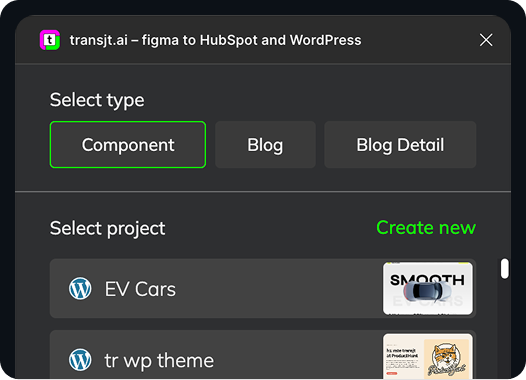
Design in Figma and use our plugin to export your components straight into a WordPress theme.
Learn more
-
Import from GitHub
Sync Code with GitHub
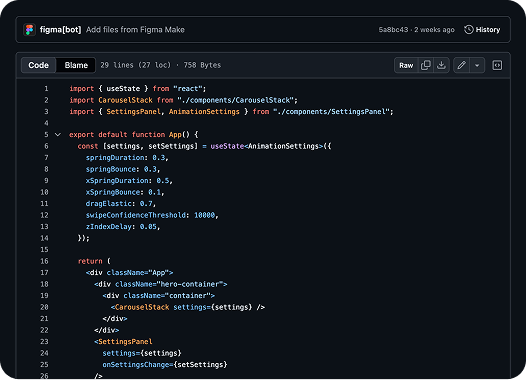
Bring your GitHub repository and convert an entire project into a ready-to-install WordPress theme.
Learn more
From Code to full CMS Integration:
Ready to move your AI build into WordPress?
Why AI-generated code needs converting at all
Every tool on this page produces React. WordPress renders PHP. That single mismatch is why an AI build cannot simply be uploaded — somebody has to express components, styles and layout as templates the WordPress theme layer understands, which is normally a developer working for a fortnight. transjt automates that translation, so the output is a theme folder you install, host yourself and own outright.