

















HubSpot Logo

WordPress to HubSpot — The Theme Is the Hard Part.

HubSpot's import tools bring your posts and pages across. What they cannot bring is the theme: WordPress renders PHP, HubSpot renders HubL, so the front end has to be built again. transjt does that half, from a Figma file or a repository.

No Credit Card Required. Money Back Guarantee
Trusted by:
vendortell-3
sparkforce
tier-one
learnslice
orixcom
merritt
poscash
md market design
worky
qxo
sweep
traceair
Remotelock
nexapp
travelnest-1
america AA-1

How it works

What imports, and what gets rebuilt

A WordPress site is a theme plus content. HubSpot's import tools handle the content; the theme has to be rebuilt as HubL modules. These are the two routes to the new front end.

  • Figma to HubSpot

    Design the replacement in Figma with components and Auto Layout. transjt reads the file and writes HubL templates with editable module fields.

    Figma to HubSpot
  • Vibe code to HubSpot

    Prompt the new front end in Lovable, v0, bolt.new or Claude Code, push it to GitHub, and transjt converts the repository into native modules.

    Vibe code to HubSpot

Your Entire Stack, Integrated:

Supercharge your design-to-deployment pipeline. Leverage the combined power of Google Stitch, Relume, and UX Pilot to craft high-fidelity designs, export them directly to Figma, and use transjt.ai to seamlessly push your final vision into HubSpot or WordPress.
Export your content

WordPress

Step 1
WordPress exports your posts, pages and media, and HubSpot's import tools read them. That half never touches transjt.
Design the new site

Figma

Step 2
Rebuild the front end as a Figma file, or prompt it in an AI builder and push the result to GitHub.
Convert to HubL modules

transjt

Step 3
transjt reads the design or repository and writes HubL templates with the editable fields marketers need.
Upload and switch over

HubSpot

Step 4
Upload the theme through the design manager, attach your imported content, and move the domain when it checks out.

Flexible AI Workflow

Design in Figma or import from GitHub

  • Export Design from Figma

    Design in Figma

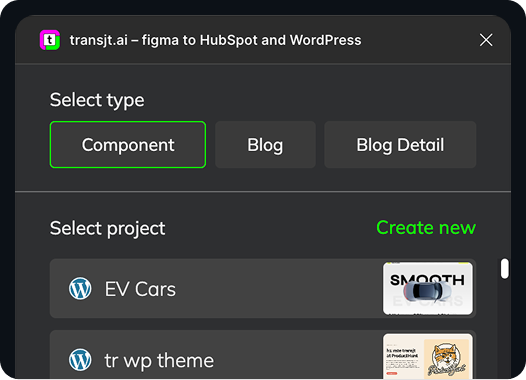
    Design in Figma and use our plugin to export your components straight into HubSpot modules.

    Learn more
    Figma Plugin to WordPress and HubSpot
  • Import from GitHub

    Sync Code with GitHub

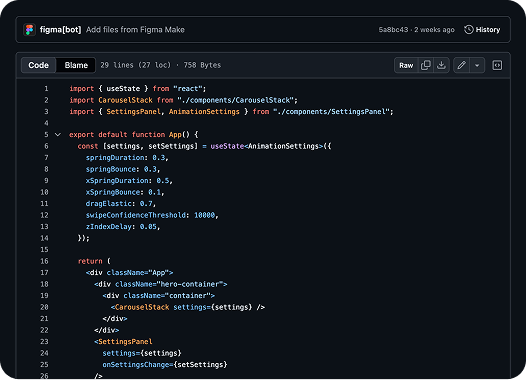
    Bring your GitHub repository and convert an entire project into a ready-to-upload HubSpot theme.

    Learn more
    Figma Make to GitHub to WordPress_

From Code to full CMS Integration:

Ready to rebuild your site in HubSpot?

Start Free Now

Why a WordPress theme cannot simply be imported

WordPress renders PHP on your server. HubSpot renders HubL on its own. No importer turns one into the other, which is why a migration always splits in two: the content moves with HubSpot's import tools, and the front end gets rebuilt. transjt automates the rebuild — hand it a Figma file or a repository and it returns a native theme with modules your marketing team can edit.

Leaving HubSpot instead? HubSpot to WordPress covers that direction, and migrating to HubSpot CMS covers arriving from any platform.