

















Migrating to HubSpot CMS — What Has to Move.
Whatever you are leaving — WordPress, Webflow, a hand-built site — the content imports and the theme does not. HubSpot renders HubL, and nothing converts another platform’s templates into it. transjt builds that new theme from a Figma design or a repository.
How it works
The content imports. The theme gets rebuilt.
Every migration to HubSpot splits the same way, whatever the source CMS. HubSpot handles the content side. These are the two routes people take to the new front end.
-
Figma to HubSpot
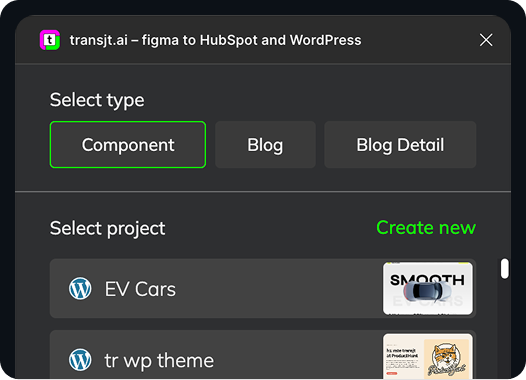
Design the new site in Figma with components and Auto Layout. transjt turns the file into HubL templates with editable module fields.
Figma to HubSpot -
Vibe code to HubSpot
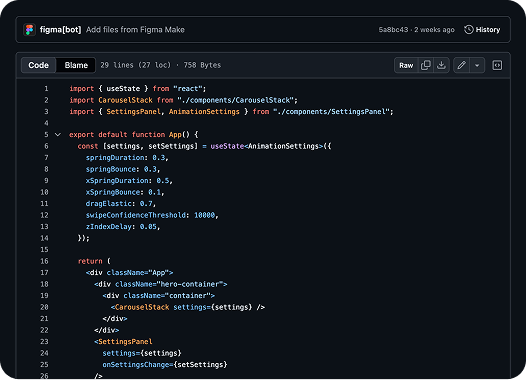
Prompt the new front end in an AI builder, push it to GitHub, and transjt converts the repository into native HubSpot modules.
Vibe code to HubSpot
Your Entire Stack, Integrated:
Supercharge your design-to-deployment pipeline. Leverage the combined power of Google Stitch, Relume, and UX Pilot to craft high-fidelity designs, export them directly to Figma, and use transjt.ai to seamlessly push your final vision into HubSpot or WordPress.Figma
transjt
HubSpot
Flexible AI Workflow
Design in Figma or import from GitHub
-
Export Design from Figma
Design in Figma
Design in Figma and use our plugin to export your components straight into HubSpot modules.
Learn more
-
Import from GitHub
Sync Code with GitHub
Bring your GitHub repository and convert an entire project into a ready-to-upload HubSpot theme.
Learn more
From Code to full CMS Integration:
Ready to move your site to HubSpot?
Why no migration tool brings the theme with it
Content is portable; templates are not. Every CMS renders pages its own way, and HubSpot renders HubL on its own servers, so a theme from anywhere else cannot be imported — it has to be built again. That rebuild is normally the expensive part of a migration. transjt automates it: give it a Figma design or a repository and it returns a native HubSpot theme with modules your marketing team can edit without a developer.
Coming from a specific platform? WordPress to HubSpot goes step by step, and HubSpot to WordPress covers the reverse.
Go deeper on this
- Migrating from WordPress to HubSpot CMS? Here’s How transjt.ai Solves the Hardest Part The part of a migration that actually hurts. →
- How to Convert an AI Build into HubSpot Modules (Step-by-Step) The rebuild, step by step. →
- The Future of HubSpot Developers: AI, transjt.ai, & the New Role What changes for the developers on the team. →