
















WordPress Logo

AI to Website — Prompted Code, Live Site.

You built a frontend with AI. Now it needs to be a website someone can run — with pages your team edits, hosting that stays up and a CMS behind it. transjt converts what you built into a native WordPress or HubSpot theme. Start with the tool you used.

Start Free – Pay after Preview No Credit Card Required. Money Back Guarantee
Trusted by:
vendortell-3
sparkforce
tier-one
learnslice
orixcom
merritt
poscash
md market design
worky
qxo
sweep
traceair
Remotelock
nexapp
travelnest-1
america AA-1

How it works

Two destinations, one conversion engine

The tool you built with matters less than where the site needs to live. Pick your CMS — each hub lists every AI builder transjt converts, with setup steps and stack requirements.

  • AI to WordPress

    Own the hosting, reach the plugin ecosystem, and hand your team an editor they already know. transjt converts your build into a native theme with real PHP templates — for all eight AI builders.

    AI to WordPress
  • AI to HubSpot

    Keep the site beside the CRM, personalise against contact data, and let marketers assemble pages themselves. transjt converts your build into native HubL modules — for all eight AI builders.

    AI to HubSpot

Your Entire Stack, Integrated:

Supercharge your design-to-deployment pipeline. Leverage the combined power of Google Stitch, Relume, and UX Pilot to craft high-fidelity designs, export them directly to Figma, and use transjt.ai to seamlessly push your final vision into HubSpot or WordPress.
Refine, Customize, and Polish.

Figma

Ideation
Convert Figma designs into markup a CMS theme can actually use, without losing structure on the way in.
Integrate

Ideation

Ideation
Use GitHub as the source and get a working site out the other side, with no manual theme build in between.
One-Click Sync to Code.

transjt.ai

Sync & Code
transjt reads your design or repository, generates clean semantic markup, then writes the templates your CMS needs to render it.
Seamless Deployment

CMS integration

Deploy
Push the finished theme straight into a live WordPress or HubSpot environment, ready to publish, with no hand-written code at any step.

Do the math:
How many single components do you have?

Start Free

No Credit Card Required.

Flexible AI Workflow

Design in Figma or import from GitHub

  • Export Design from Figma

    Design in Figma

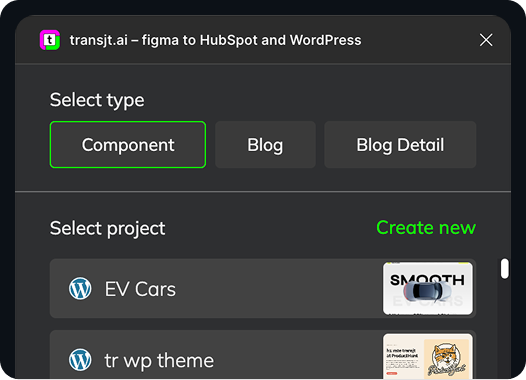
    Design in Figma and use our plugin to export your components straight into a WordPress or HubSpot theme.

    Learn more
    Figma Plugin to WordPress and HubSpot
  • Import from GitHub

    Sync Code with GitHub

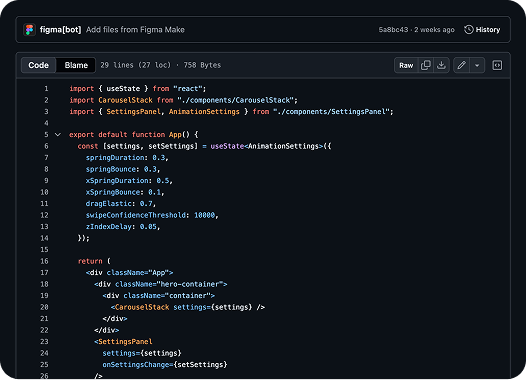
    Bring your GitHub repository and convert an entire project into a ready-to-install theme for either CMS.

    Learn more
    Figma Make to GitHub to WordPress_

Release in hours, not weeks: Benefit from a seamless design to HubSpot or WordPress CMS integration with AI

Freelance Designers HubSpot Agencies Marketing Teams
Made for Corporates, Agencies and Marketing Teams

Save Time. Reduce Costs.
Let transjt Do the Heavy Lifting.
transjt helps you streamline the entire design-to-code integration process — saving both time and money.

Example: This page design took 2 days to create and was fine-tuned in just 1 hour. The rest? Done automatically by transjt — resulting in a total time saving of approximately 40-60 hours.

Sounds good, right?

Start Free Now
sizzle

From Code to full CMS Integration:

WordPress or HubSpot — where is this site going?

Start Free Now

Two destinations, the same conversion

The tool you built with matters less than where the site needs to live. Choose AI to WordPress if you want to own the hosting and reach the plugin ecosystem, or AI to HubSpot if your marketing team already runs on the CRM and needs pages they can personalise. Either way transjt reads the same GitHub repository and produces a native theme — the difference is what comes out the far end: PHP templates for WordPress, HubL modules for HubSpot.