How to Use Figma Make: Step by Step, Then Into WordPress or HubSpot
· 5 min read · by transjt.ai
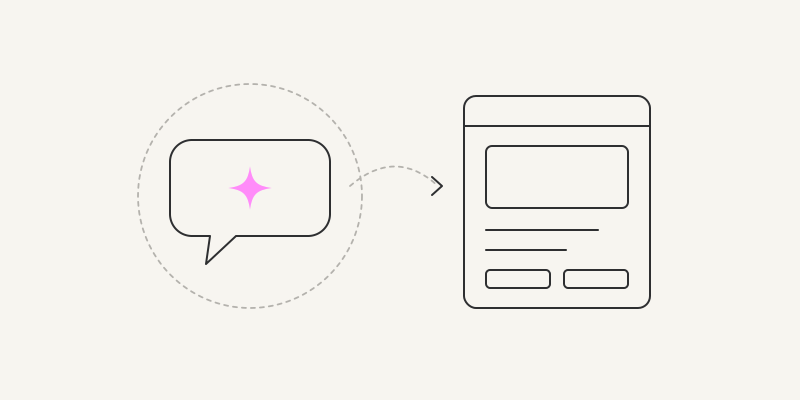
Short answer: Figma Make is Figma’s prompt-to-app tool. Describe a prototype or an app, or attach your Figma designs, and Make builds a working React app you can preview, edit visually or in code, publish to the web, download or push to GitHub. It comes with every Figma plan, Starter included, and runs on AI credits. We go through it step by step and finish with how the app becomes a WordPress or HubSpot site.
- Made by: Figma, announced at Config on 7 May 2025, available to everyone since 24 July 2025.
- Where: in the Figma file browser, Drafts > Make.
- Price: free on Starter (500 credits a month, 150 a day); a Professional Full seat is $20 a month ($16 billed annually) with 3,000 credits.
- Output: a React and TypeScript app, published at figma.site or your own domain; Download code; Push to GitHub.
What Figma Make is
Figma describes Make as a “prompt-to-app tool that lets you bring ideas and existing Figma designs to life as interactive apps”. It lives next to Figma Design, so you can attach real frames instead of describing them, and it lets you pick the model per prompt from Anthropic’s Claude, OpenAI’s GPT and Google’s Gemini; the list changes often. Don’t confuse it with Figma Sites, a website builder whose code can’t be exported. Make gives you the code.
Seats, credits and price
| Plan and seat | Price | AI credits a month |
|---|---|---|
| Starter, Full seat | Free | 500 (at most 150 a day) |
| Professional, Full seat | $20 a month, or $16 billed annually | 3,000 |
| Organization, Full seat | $55 a month, billed annually | 3,500 |
| Enterprise, Full seat | $90 a month, billed annually | 4,250 |
| Dev, Collab or View seat | Varies | 500; Make files in drafts only |
What a prompt costs varies with the model and the context. Figma’s examples for the default model: about 30 credits to change a font, about 75 to make an attached design interactive, about 100 or more for an app from scratch. Plan mode costs more; Auto fix is free. Prices from figma.com/pricing, checked on 17 November 2026.
How to use Figma Make, step by step
- Create a Make file. In the file browser, open Drafts and click Make in the upper-right corner, or start from a template.
- Prompt it. Type or dictate what you want in the chat and click Send. Make shows a to-do list while it works, then a summary and a live preview.
- Add context. Under Add context: attach Figma frames (better than screenshots), upload files, choose a Make kit with your design system, connect tools such as Notion or GitHub, or switch on Plan to agree a plan before it builds (paid plans).
- Preview it. In the Browser tab, Preview options shows it in a window size or a device frame; Preview opens it full screen.
- Edit it. In the Browser tab, Edit lets you select an element and change its properties, draw notes, or annotate for the agent, then Apply. Or edit the code in the Files tab.
- Add data if you need it. A Payload back end hosted by Figma gives you a database, files and logins with an admin at /admin, or connect your own Supabase project.
- Publish it. Publish, give it a title, and it goes live at a figma.site address or your own domain.
Tips for better results
- Attach frames rather than screenshots, and build one screen at a time with one or two designs per prompt.
- Desktop layouts work best; Figma says mobile output is still being improved.
- Put your rules in the file’s guidelines.md, or use a Make kit, so every prompt follows them.
- Big attachments, long chats and Plan mode use up credits faster, so start a new file when you move on to a new idea.
Getting your app out
- Download code: Files tab > File actions > Download code gives a ZIP of the project (Full or Dev seat).
- Push to GitHub: Make settings > GitHub > Create Repository, then Push to… after each change. Sync is one way, to the default branch, and edits made in GitHub are overwritten on the next push.
- Copy designs: Browser > Edit > Copy designs > Whole page pastes the page into Figma Design as static layers (paid plans).
- Publish: a live address on figma.site or your own domain, with basic settings for title, meta description, social image and hiding it from search engines.
Limits to know
- Credit use is hard to predict, and Starter caps it daily.
- Mobile layouts and image-heavy designs come out less faithfully.
- Push to GitHub runs one way only; for branches and pull requests, start the Make file from an existing repository. Changes to downloaded code don’t flow back into Make.
- It is strongest for prototypes and first versions; a production site still needs a developer’s review.
From Figma Make to WordPress or HubSpot
Make has no WordPress or HubSpot integration, and a site at figma.site lives outside your CMS and CRM. With transjt, the app becomes a theme your marketing team edits:
- Push to GitHub from Make settings.
- Connect the repository to transjt.
- Export a native theme: HubSpot modules your team rearranges in the drag-and-drop editor, or a WordPress theme with real PHP templates, on hosting you own.
See Figma Make to HubSpot and Figma Make to WordPress. If you design in Figma Design rather than Make, the transjt Figma plugin exports the design directly.
Frequently asked questions
Is Figma Make free?
Yes, on the Starter plan, with 500 AI credits a month and at most 150 a day. Starter can’t use team libraries, and publishes to the web only together with the Figma Community.
Which AI does Figma Make use?
You choose per prompt between models from Anthropic (Claude), OpenAI (GPT) and Google (Gemini). The list changes often.
Can I export the code from Figma Make?
Yes. Download code gives a ZIP (Full or Dev seat), or push it to a new GitHub repository, one way.
What code does Figma Make write?
A React app in TypeScript by default; Make can also work with other web frameworks.
What is the difference between Figma Make and Figma Sites?
Make turns prompts and designs into an app whose code you can export. Sites is a website builder on the canvas, and its code can’t be exported.
Can Figma Make build a WordPress or HubSpot site?
Not by itself. Push the app to GitHub and transjt turns it into a native WordPress theme or HubSpot theme.