How to Move a Lovable Website to WordPress
· 5 min read · by transjt.ai
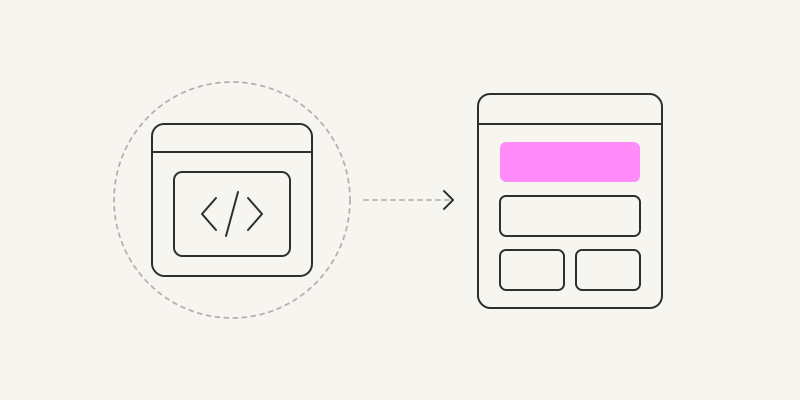
Short answer: Lovable can't export to WordPress. It writes a React app and syncs it to GitHub, and from there you have three routes: rebuild the pages by hand in a WordPress theme, convert an exported ZIP into a static theme or Elementor pages, or let transjt turn the repository into a native WordPress theme your team edits in the block editor. Below: what carries over, how the routes compare, and the steps for each.
- Lovable builds: React with Vite, Tailwind and shadcn/ui. WordPress renders pages with PHP, so the code can't run there as it is.
- Exports: two-way sync with GitHub, GitLab or Bitbucket on every plan; Download codebase as a ZIP on paid plans.
- WordPress connector: it lets your Lovable app read and write posts on a WordPress site. It doesn't export the site.
- What moves: the frontend, meaning pages, layout, styles and content. Logins, databases and edge functions in Lovable Cloud or Supabase stay behind.
Can you export a Lovable site to WordPress?
Not directly. Lovable's own FAQ says it generates React code, not WordPress, and suggests rebuilding the sections as a theme. The WordPress connector in Lovable is a different thing: it connects your app to an existing WordPress site through the REST API, so the app can show or manage posts. Your Lovable pages still run on Lovable.
What Lovable does give you is the code. Connect the project to GitHub under Project settings, then Git, then GitHub, and Lovable creates a private repository and keeps it in sync both ways. On a paid plan you can also download the codebase as a ZIP. Every route below starts from one of the two.
What carries over, and what doesn't
A WordPress theme replaces the frontend. The pages your visitors see, the layout, fonts, colours and texts can all move. An app's back end can't: user logins, a database, payments and server functions built on Lovable Cloud or Supabase keep running where they are, or get replaced by WordPress plugins.
For most marketing sites that's no loss. The usual reason to move is the opposite problem: every headline change is a code change, and the people who write the copy can't touch it. In WordPress they can.
Three ways to move, compared
| Route | What you get | Who edits afterwards | Effort |
|---|---|---|---|
| Rebuild by hand | A custom block theme, written by a developer | Your team, in the blocks the developer built | About 4.5 hours per component; 80 hours or more for a full site |
| Convert an exported ZIP | A theme that keeps the layout as coded, or Elementor pages | Texts and images in the converter's own editor, or in Elementor | Minutes; from about $19 a site |
| Convert the repository with transjt | A native theme with PHP templates and blocks | Your team, in the WordPress block editor | Within a few hours; free plan to start, one site once from $499 |
Prices and times as of November 2026. For a closer look at the converter route, see transjt vs. WPConvert.
Route 1: rebuild it by hand
Download the codebase, open it next to a new block theme, and rebuild each section as a template part or a custom block. You keep full control, and you pay for it in hours: every component has to be written twice, once in React and once in PHP. It suits a small site with a developer at hand.
Route 2: convert the exported ZIP
Converters take the built site and wrap it into an installable theme or Elementor pages. It's quick and cheap, and the layout stays exactly as Lovable drew it. The catch is editing: in a wrapped theme your team changes text and images in the converter's editor, not in WordPress blocks, and Elementor brings a page builder you have to keep.
Route 3: convert the repository into a native theme
This is the route transjt takes, step by step:
- Check the stack. Lovable writes React with Vite, which is what transjt converts. If you prompted Lovable into Next.js or server-side rendering, ask it for a plain React and Vite build first.
- Connect Lovable to GitHub. Project settings, then Git, then GitHub, then Connect. Lovable creates the repository and keeps it in sync.
- Connect the repository in transjt. Create a project, authorise GitHub and pick the repository. transjt reads the components and works out which parts become templates and which become editable blocks.
- Choose WordPress and check the preview. Compare it with your Lovable site before you export anything.
- Connect your WordPress site. Install the transjt plugin on your WordPress install and link it to your workspace.
- Export. The theme arrives on your site with its pages, blog templates and forms. Then point your domain to your WordPress hosting.
You can keep building in Lovable afterwards. Push the changes to GitHub and run the conversion again; content your team edited in WordPress stays in the database and isn't overwritten. More on this route on the Lovable to WordPress page.
Before you switch the domain
- Keep your URLs where you can, and add a 301 redirect for every address that changes.
- Carry over page titles and meta descriptions. A single-page React app often has one title for every page, so this is a chance to fix them.
- Rebuild forms in WordPress and test that submissions arrive.
- Submit the new sitemap in Google Search Console once the site is live.
Frequently asked questions
Does Lovable have a WordPress export?
No. Lovable exports code to GitHub, GitLab or Bitbucket, or as a ZIP on paid plans. Its WordPress connector links an app to an existing WordPress site; it doesn't turn your Lovable pages into a theme.
Can I move a Lovable site to WordPress without coding?
Yes, with a converter. A ZIP converter wraps the built site into a theme or Elementor pages; transjt converts the GitHub repository into a native theme with blocks your team edits in WordPress.
Will my Lovable design look the same in WordPress?
With a converter, yes: transjt carries the compiled styles across, so layout, spacing and typography match the Lovable preview. A hand rebuild looks the same only if the developer matches it piece by piece.
What happens to my Supabase or Lovable Cloud back end?
It stays where it is. A WordPress theme replaces the pages, not the database or the logins. Most marketing sites don't need them; an app that does keeps its back end or moves those parts to WordPress plugins.
Can I move a Lovable site to HubSpot instead?
Yes, the same way: through GitHub, as a HubSpot theme with modules your marketers edit. See Lovable to HubSpot.