
The web design workflow has fundamentally shifted in 2026. Gone are the days of staring at a blank canvas and painstakingly drawing wireframes block by block. Today, the process is driven by "Vibe Design"—a concept pioneered by Google’s latest AI-native tool, Google Stitch, and brought to life by powerful HubSpot and Figma converter platforms like transjt.ai.
If you want to know how to take a raw idea, turn it into a high-fidelity prototype in minutes, and port it over to a live enterprise CMS, you are in the right place.
Here is the ultimate guide to creating a design in Google Stitch, refining it, and navigating the Figma to HubSpot export process using transjt.ai.

Generate Your UI with Google Stitch
Google Stitch (a cutting-edge AI tool out of Google Labs) completely flips the traditional design phase on its head. Instead of manually building, you simply describe your goal or the "vibe" of your product.
Here is how to build your initial design:
- Head to stitch.withgoogle.com and start a new project.
- Write a Specific Prompt: Stitch thrives on context. Instead of typing "make a landing page," use the Zoom-Out-Zoom-In framework. Try something like: "A modern SaaS landing page for a B2B audience. Clean grid layout, tech-forward aesthetic with subtle gradients. Includes a sticky sticky navigation header, a high-converting hero section with a dual-CTA, and a 3-column features matrix."
- Alternatively, Extract from a URL: If your client has an existing brand or a live site whose visual language they love, Stitch allows you to paste that URL. The AI will extract the design tokens (typography, color palettes, spacing) and apply them to your new HubSpot-bound layout.
- Iterate and Refine: Stitch will generate a multi-page prototype in 15 to 45 seconds. Treat this first output as a draft. You can regenerate different layouts or tweak the design system globally before moving forward.
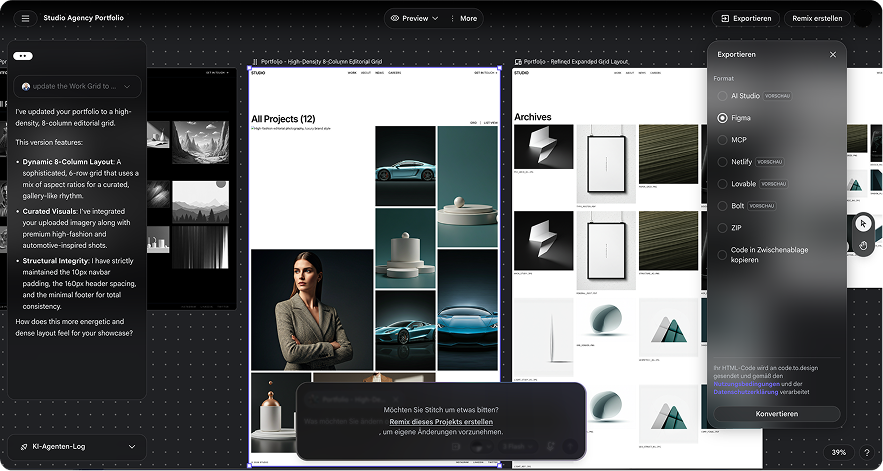
Export to Figma
Google Stitch is incredible for zero-to-one ideation, but for granular control and preparing your file for a developer-grade Figma converter, you need a vector design tool.
- Make sure you are using Stitch’s Standard Mode (which supports Figma integration).
- Click the Export to Figma button.
- Once inside Figma, take a few minutes to clean up your layers, group your components logically, and ensure auto-layout is functioning properly. This step is vital because your Figma converter tool relies on a structured file to understand how elements should behave responsively on the web.
Integrate with transjt.ai
Now it’s time to turn that static design into functional, dynamic code. This is where transjt.ai steps in as the ultimate AI bridge for HubSpot. It analyzes your designs, generating responsive HTML, CSS, and JS while natively mapping HubSpot CMS fields.
How to set it up:
- Install the Figma Plugin: Search for the transjt.ai plugin in the Figma Community and install it.
- Connect to your HubSpot Portal: Authenticate your transjt.ai account with your target HubSpot portal via a secure private app access token.
- Run the AI Polish: Select your components or frames. The transjt.ai plugin acts as an advanced HubSpot AI assistant, analyzing your layouts and automatically making them responsive (so you don't have to manually design mobile breakpoints).
- Map Your Fields & HubL Tokens: Tag your text boxes, images, and repeating lists directly inside the plugin. Tell the AI which elements should be editable text fields, image selectors, or dynamic blog feeds within HubSpot.
The Seamless Figma to HubSpot Pipeline
Here is where we bring your design to life. Forget manual HubL coding or wrestling with the HubSpot Design Manager from scratch. transjt.ai features a direct pipeline that builds native HubSpot assets instantly.
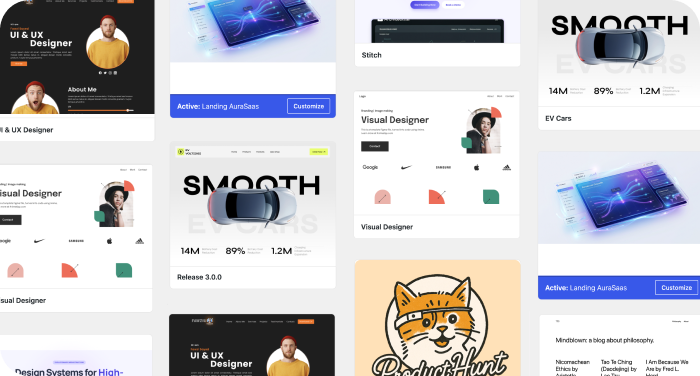
Theme Generation
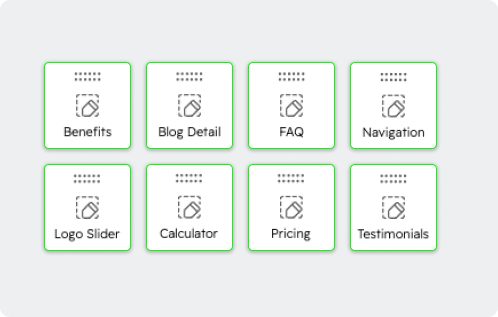
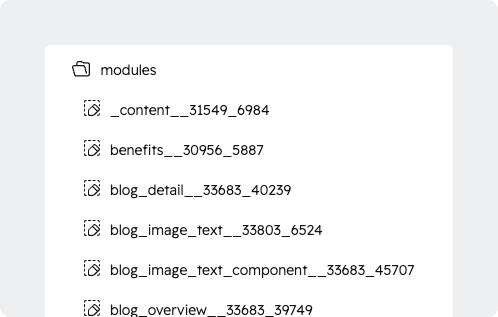
Automated Custom Module Creation
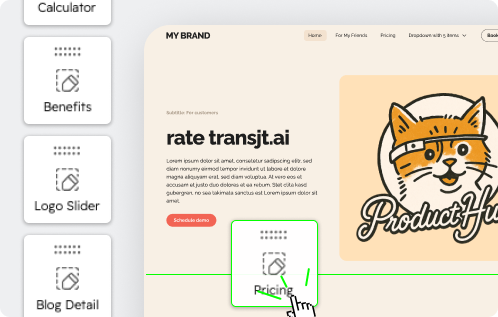
Assemble via Drag-and-Drop
Why this matters for HubSpot Teams
Summary
The combination of Google Stitch, smart Figma converter tools like transjt.ai, and HubSpot's robust CMS represents the future of enterprise web creation. By using AI to generate your initial layout and utilizing a direct pipeline to instantly build custom HubSpot themes, you can radically accelerate your design-to-deployment timeline. Move your marketing campaigns from a fleeting idea to a fully functioning, high-performing live website in a matter of hours, rather than weeks.