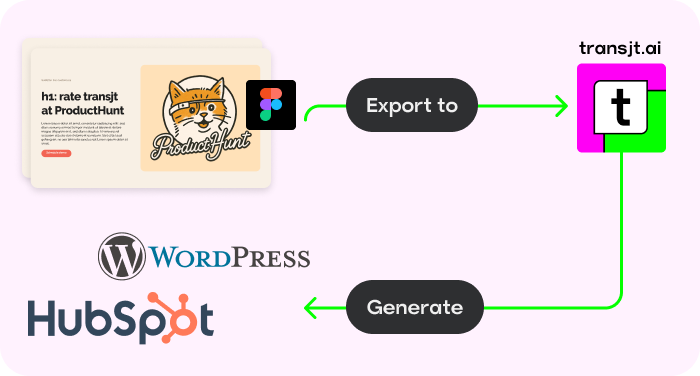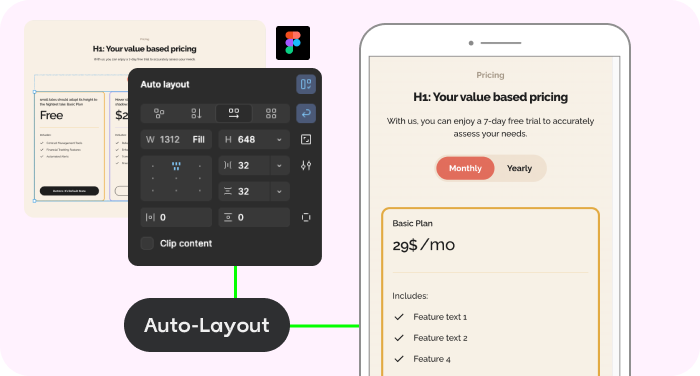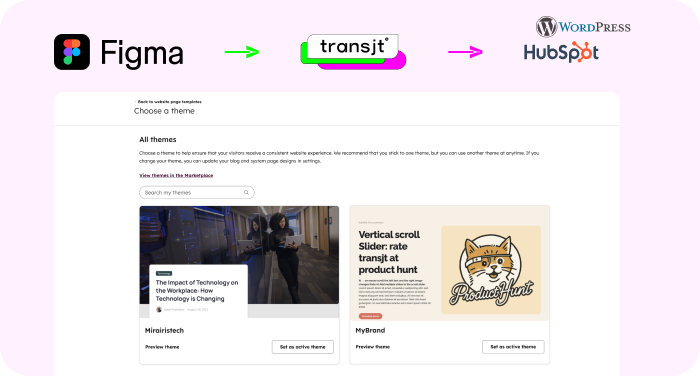

















We’d seen plenty of tools promise magic for page and theme creation, but they always under-delivered. Transjt proved to be the exception. Their platform made the transition from a complex Figma file to a HubSpot theme fast and accurate, while their team provided timely and outstanding support whenever we needed assistance. Without them, it would have taken longer and cost us significantly more to handle in-house. They turned a complex project into a smooth success.
transjt.ai im Vergleich
mit anderen Figma-zu-CMS-Tools
Die meisten Figma-zu-WordPress-Tools bringen Ihr Design in einen Page Builder wie Elementor. transjt erstellt stattdessen ein natives Theme für WordPress oder HubSpot und arbeitet auch mit Code aus KI-Buildern. Wählen Sie unten einen Vergleich.
Vergleiche
Wählen Sie einen Vergleich
Wie jedes Tool ein Figma-Design in Ihr CMS bringt – direkt im Vergleich mit transjt.
-
transjt.ai vs. Yotako
Yotako wandelt Figma-Designs in WordPress-Themes um und bietet Hosting an. transjt ergänzt HubSpot, Code aus KI-Buildern und Themes, die Sie selbst hosten.
Zum Vergleich -
transjt.ai vs. FigWP
FigWP überträgt Figma-Layouts in Elementor- und Essential-Addons-Widgets. transjt erstellt native WordPress- und HubSpot-Themes ohne Page Builder.
Zum Vergleich -
transjt.ai vs. UiChemy
UiChemy macht aus Figma-Frames Seiten für Elementor, Bricks oder Gutenberg. transjt erstellt ein vollständiges natives Theme für WordPress oder HubSpot.
Zum Vergleich -
transjt.ai vs. Figmentor
Figmentor importiert Figma-Designs als Templates in Elementor. transjt erzeugt ein natives Theme, das keinen Page Builder braucht.
Zum Vergleich
Auf einen Blick
Kurz gesagt: FigWP, UiChemy und Figmentor bringen Ihr Design in einen Page Builder. Yotako und transjt erstellen ein Theme. Nur transjt exportiert auch nach HubSpot und übernimmt Code aus KI-Buildern.
| Tool | Ausgangspunkt | Ergebnis | Bearbeitung in | HubSpot |
|---|---|---|---|---|
| transjt.ai | Figma-Plugin oder Code aus KI-Buildern über GitHub | Natives WordPress- oder HubSpot-Theme | WordPress-Block-Editor oder HubSpot-Drag-and-Drop-Editor | Ja |
| Yotako | Figma-Plugin | WordPress-Theme, optional mit Hosting | WordPress-Dashboard | Nein |
| FigWP | Figma-Plugin | Elementor- und Essential-Addons-Widgets (JSON-Import) | Elementor | Nein |
| UiChemy | Figma-Plugin | Seiten für Elementor, Bricks oder Gutenberg | Im gewählten Page Builder | Nein |
| Figmentor | Figma-Plugin | Elementor-Templates (JSON-Import) | Elementor | Nein |
Angaben von den Websites der Anbieter, geprüft im September 2026.
What our clients say
Very precise design export, and really useful because components don’t get exported as images.
Transjt is an amazing tool that saved me tons of time. Support is amazing with great response time and helped me with a lot of things, gave useful tips. Try this out, you won’t regret it. I will keep using it to create landing pages for my SaaS clients.
Great extension, simple to use.
Easy onboarding and has a great UI. Importing is fast, and the AI enhancements are decent. Good price. Easy to integrate as well.
This tool is amazing! It saved me hours of manual coding by converting my Figma designs into clean, responsive layouts. The AI does an incredible job of detecting elements, and the transfer process is smooth and very fast. Highly recommended for anyone looking to speed up their workflow!
I opened a support ticket with transjt.io and could not believe how amazing their support was. They were responsive, helpful, and could not have been nicer. They even went above and beyond and helped me with something in HubSpot on our site.
I could not be happier with transjt.io and highly recommend them.
I love the Figma connector, it makes creating themes so much easier - very excited to continue to use this tool as we ramp up our marketing strategy.
Great tool to export fast design to WordPress.
We’re using it to automate all the drag and drop modules. It’s working very well and we’ve been able to create modules with a high degree of customization. It’s greatly increasing the team’s productivity!
Great tool, that really helped us getting from Figma to HubSpot. See the result here: www.vendortell.com
Solid plugin, enjoying the experience so far.
Turning the Figma design of our new website into a HubSpot webpage was extremely smooth and fast. Saved many hours - if not days - of coding time. Easy and rapid iterations.
Excellent tool that significantly boosted our productivity. The Figma to HubSpot conversion is fast and accurate. It saves hours of manual development when creating HubSpot modules and keeps excellent visual fidelity to the original design.
Very useful and easy to use.
The plugin works really well and is a great solution if you use Figma and want to convert your designs into HubSpot. Once you understand how the system works, transjt becomes a very efficient tool that significantly improves both workflow speed and quality scalability. The support team is responsive and helpful.
Great tool... really made my work easy.
Die Lücke zwischen Design und
Entwicklung ist vorbei
transjt.ai nutzt fortschrittliche KI, um diese Lücke zu schließen und produktionsreife Websites zu erstellen.
Native Figma-Integration
Komplette Websites, Blogs und Formulare erstellen
AI Auto-Responsive Layouts
Benutzerdefinierte Themen
Arbeitet mit anderen Tools
Rechnen Sie selbst:
Wie viele Komponenten haben Sie?
Keine Kreditkarte erforderlich.
So funktioniert's
Von Ihrem Design zum nativen Theme – in wenigen Stunden
Starten Sie mit der Figma-Datei, die Sie schon haben, oder mit Code aus einem KI-Tool. transjt macht daraus ein HubSpot- oder WordPress-Theme, das Ihr Team im CMS bearbeitet.
-
Figma zu WordPress
Behalten Sie Ihre Figma-Datei und exportieren Sie sie als natives WordPress-Theme. Ohne Page Builder, und die Dateien gehören Ihnen.
Figma zu WordPress -
Figma zu HubSpot
Dasselbe Design als natives HubSpot-Theme, mit HubL-Modulen, die Ihr Marketing-Team bearbeitet.
Figma zu HubSpot -
Vibe Code zu WordPress
Verbinden Sie das GitHub-Repository einer Lovable-, v0- oder Claude-Code-Website und erhalten Sie ein natives WordPress-Theme.
Vibe Code zu WordPress -
Vibe Code zu HubSpot
Machen Sie aus demselben KI-gebauten Frontend ein HubSpot-Theme mit bearbeitbaren Modulen.
Vibe Code zu HubSpot
FAQs
Das hängt davon ab, wie Sie die Website bearbeiten möchten. Arbeitet Ihr Team mit Elementor oder Bricks, passt ein Konverter wie FigWP, UiChemy oder Figmentor zu diesem Workflow. Wenn Sie ein natives Theme ohne Page Builder möchten oder zusätzlich HubSpot brauchen, ist transjt dafür gebaut.
Von den hier verglichenen Tools exportiert nur transjt nach HubSpot, als natives Theme mit Modulen, die Ihr Marketing-Team im Drag-and-Drop-Editor bearbeitet. Yotako, FigWP, UiChemy und Figmentor sind auf WordPress ausgerichtet (Stand: September 2026).
Nein. transjt erstellt ein natives WordPress-Theme, das Sie im Block-Editor bearbeiten. Ein Page Builder ist nicht nötig.
Ja. Verbinden Sie das GitHub-Repository der Website, etwa aus Lovable, v0 oder Claude Code, und transjt macht daraus ein natives HubSpot- oder WordPress-Theme.
Jeder Vergleich basiert auf der öffentlichen Website des jeweiligen Tools. Die Angaben in der Tabelle oben wurden im September 2026 geprüft.
Bereit, Ihr Design in ein natives Theme zu verwandeln?
Schließen Sie sich Designern, Entwicklern, Agenturen und Unternehmen an, die mit transjt ihre Zeit zurückgewonnen haben.