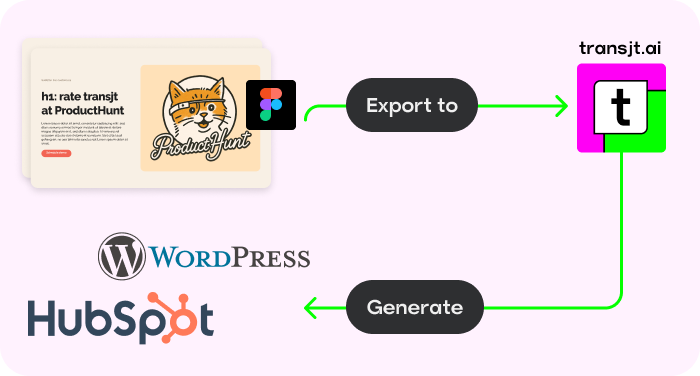
Native Figma Integration
Both transjt.ai and Figmentor are built to bridge the gap between design and development, drastically cutting down project turnaround times. However, their underlying architectures and core philosophies cater to entirely different development workflows.
While one focuses on copying layout structures into popular visual page builders, the other excels at generating deep CMS logic and clean, production-ready native code.
In short, Figmentor is the right tool if your workflow relies heavily on visual page builders and you want to quickly move layout blocks into Elementor using a copy-and-paste JSON workflow.
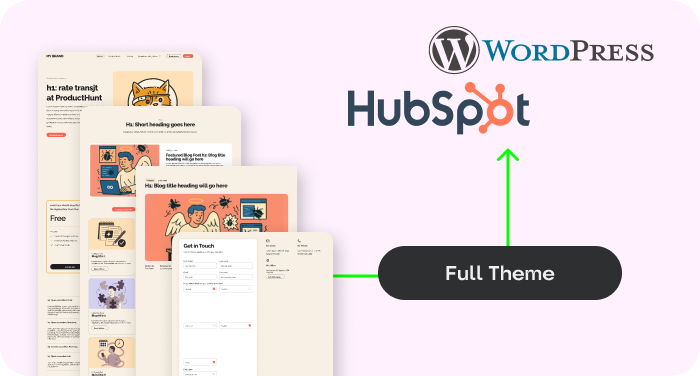
You should consider transjt.ai if you need a scalable, professional website free of heavy page-builder code. Instead of forcing design elements into restrictive builder containers, transjt.ai generates native theme files (clean PHP and CSS), complex database mapping (like automated dynamic blog loops), and multi-platform compatibility across both WordPress and HubSpot.
| Feature | transjt.ai | Figmentor |
|---|---|---|
| Technical Approach | Generates standalone native themes (Clean PHP/CSS) | Converts designs into Elementor blocks and widgets |
| Production-Readiness | Yes. Generates clean, lightweight, production-ready code with integrated native logic right away. | Partial. Layouts transfer instantly, but developers must manually clean up redundant containers and configure backend connections. |
| Semantic Integration | Automated. AI automatically maps and tags static Figma layouts to native WordPress loops, menus, and dynamic structures. | Manual. Requires strict layer-naming conventions in Figma (following Figmentor guidelines) to translate to basic Elementor widgets. |
| Animation Library | Automated. Automatically injects interactive and smooth animations directly into corresponding UI elements. | Manual Setup. Users must apply motion effects manually using Elementor's native drag-and-drop widget settings after import. |
| Editing Flexibility | Easily editable via native Gutenberg or direct code | Editable exclusively within the Elementor builder interface |
| Site Performance | Ultra-Fast. Zero builder dependencies, zero bloatware | Variable. Dependent on Elementor's resource overhead |
| Dynamic CMS Logic | Yes. Automatically builds blog listing and detail loops | No. Requires manual template configuration in WP |
| Native Form Integration | Creates complex, multi-step forms (e.g., CF7 mapping) | Map elements to standard builder form widgets |
| Responsiveness | AI-Enhanced. Layouts optimized automatically by AI | Basic. Relies strictly on Figma Auto-Layout rules |
| Multi-Platform Support | Yes. Integrates seamlessly with WordPress and HubSpot | No. Exclusive to the WordPress ecosystem |
| Code Ownership | 100% Autonomous. Download a clean, restriction-free theme folder | Bound to the lifetime and license of the builder plugin |
The ultimate differentiator is the final output. Figmentor relies on a JSON clipboard system that maps your Figma layers directly into Elementor elements. While fast for designers who love visual builders, the final site inherits the nested, code-heavy structure native to those plugins.
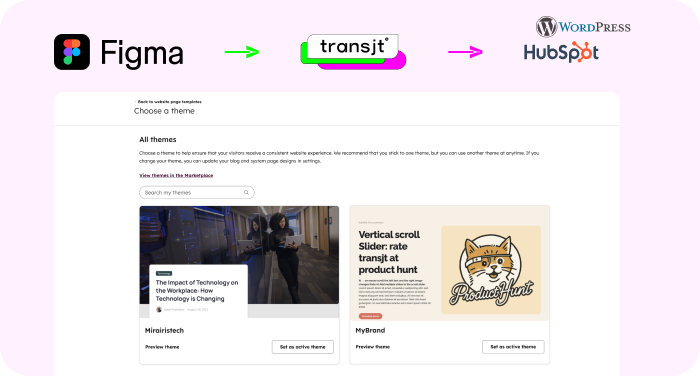
transjt.ai cuts out the middleman. Instead of packing your design into a bloated builder, our AI interprets the layout semantically to build a native WordPress theme folder from scratch. The result is a lightweight website optimized for SEO and Core Web Vitals right out of the box.
Performance Note: A native theme generated by transjt.ai will always out-pace a page built on cascading builder containers, protecting your site from "div soup" and heavy page weights.
Figmentor is excellent at replicating the visual appearance of a Figma canvas. However, if your design requires a dynamic blog feed or interactive components, you still have to build out that backend backend logic manually inside WordPress.
With transjt.ai, the AI doesn't just export pixels—it understands intent. It automatically identifies when a design group represents a blog loop, an accordion, or a multi-step form, injecting the corresponding operational backend architecture automatically.
We’d seen plenty of tools promise magic for page and theme creation, but they always under-delivered. Transjt proved to be the exception. Their platform made the transition from a complex Figma file to a HubSpot theme fast and accurate, while their team provided timely and outstanding support whenever we needed assistance. Without them, it would have taken longer and cost us significantly more to handle in-house. They turned a complex project into a smooth success.
Fast support, delivered on what they promised
None
Maybe just a little bit. Depends on your Figma designs. In general transjt.ai takes care of the intricate PHP, HTML, CSS, and JavaScript generation behind the scenes. You get developer-level code structure without ever touching a code editor.
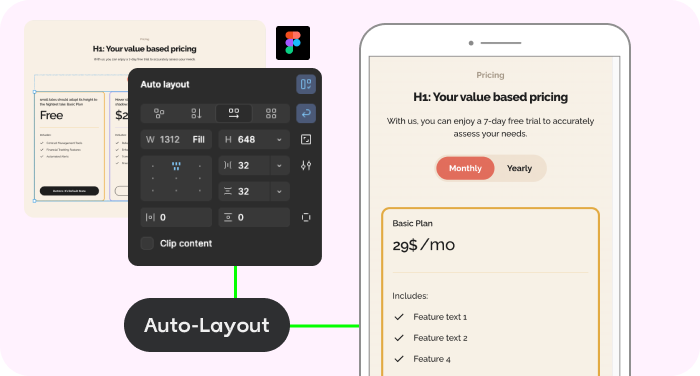
Figmentor translates the precise constraints and rules you set up in Figma's Auto-Layout. transjt.ai takes it a step further by using AI to analyze the behavior of your visual assets, automatically enhancing mobile and tablet breakpoints to save you hours of manual adjustments.
If you manage enterprise clients or fast-scaling agencies that demand optimal page speeds, clean code ownership, and zero reliance on heavy visual plugins, transjt.ai is the professional choice. If your goal is to quickly spin up a basic landing page inside an existing Elementor setup, Figmentor provides a simple visual bridge.
Join designers, developers, agencies and enterprises who have reclaimed their time with transjt.